


 Powered by AI

AI-Powered Secret Extraction
AI pulls hidden API keys, tokens and credentials straight out of your shipped app.
To keep up with rapidly evolving mobile security threats, nultr provides multi-layered app security, from app protection to runtime threat detection and response.
Powered by AI
AI has turned slow, manual attacks into fast, automated ones. These are the four nultr is built to resist.
AI pulls hidden API keys, tokens and credentials straight out of your shipped app.
AI reads your code, logic and architecture in minutes instead of weeks.
AI hooks into the running app to bypass checks and rewrite how it behaves.
AI runs automated attacks against your app that are faster, smarter and harder to spot.
Powerful Dashboard
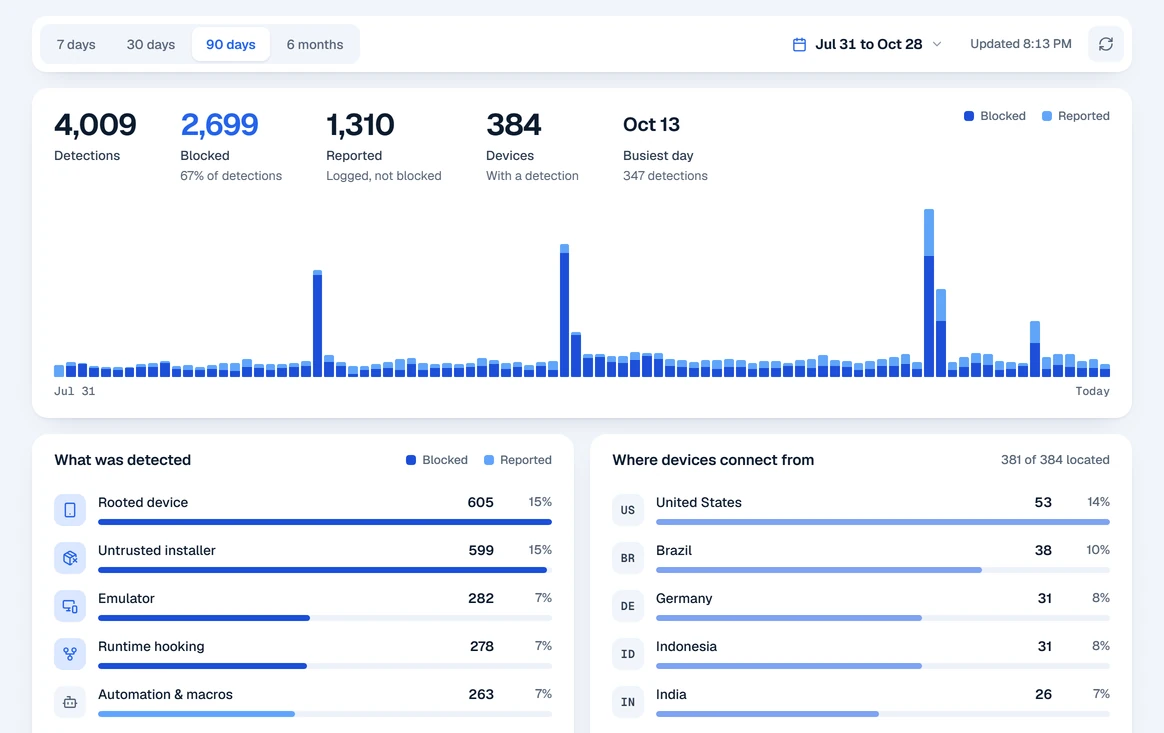
Monitor, analyze, and respond to security events in real time. Gain complete visibility into threats, device activity, and security trends, all from one powerful dashboard.
Free tooling decompiles a shipped build in seconds. nultr turns that readable logic into noise, without touching your source.
public class SubscriptionManager {String apiKey = "prod_9f27c41d88ae";boolean isPremium(User user) {if (api.get(user) != null) {return info.isPremium; // patch -> true}return false;}
public class a0 {String b = q.x(0x3F9A, 0x71);boolean c(e0 f) {if (z(h.k(f), 0xA1) ^ m()) {return n(g) & 0x5E;}return (t ^ 0xD3) == 0;}
14 days free on one app, no card needed
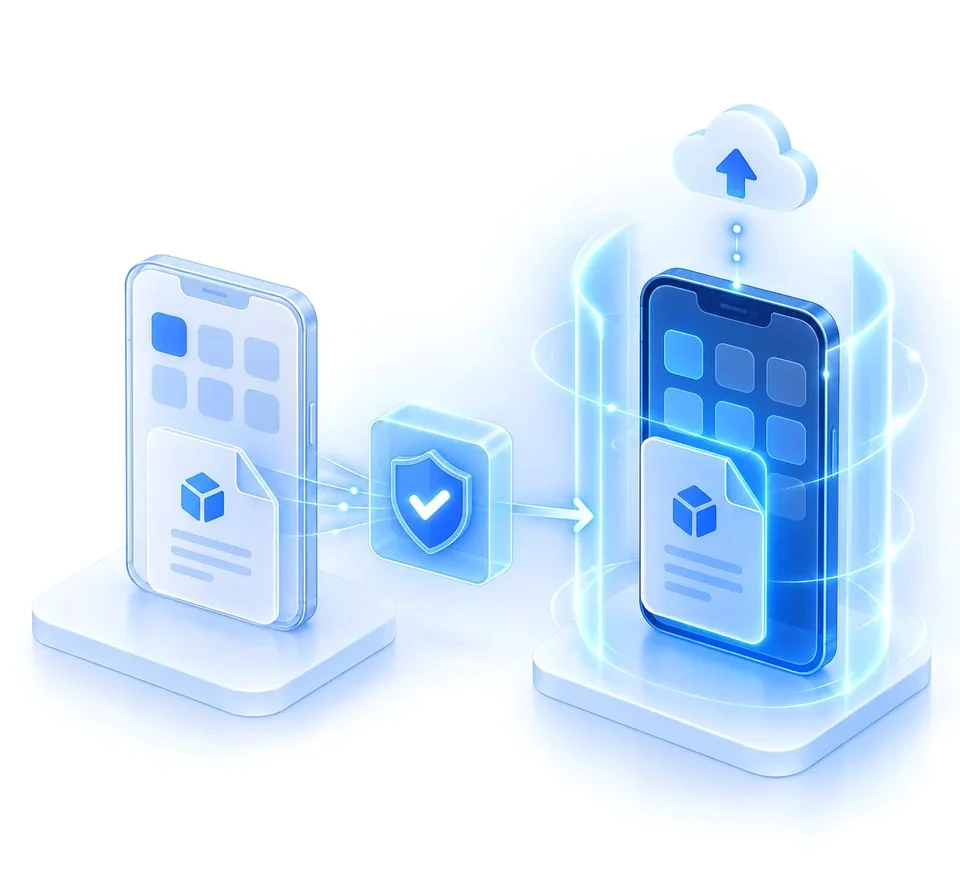
Upload the finished build, get the protected one back, and publish it through your normal release process. No SDK, no source changes.
Discover nultr’s flexible, real-time security features tailored to your app and your pipeline.
Flags rooted devices and the tools that hide root.
Flags emulators, virtual machines and cloud phones.
Flags devices with the debug bridge enabled.
Flags spoofed GPS and fake-location apps.
Flags cloned and parallel-space instances.
Flags installs from outside the official store.
nultr adds multi-layered security to your finished Android app, from app protection to runtime threat detection and response. It works on the build you already ship.
No. You upload the finished build and get the protected one back, with no SDK and no source changes.
Yes, nultr protects both APK and App Bundle (AAB), for native Android and React Native apps. The protected build keeps its original format.
Typically within one minute. Upload it in the dashboard or send it from your pipeline.
Sign it in your normal signing step, then install it or upload it to Play. Optional auto-signing can return it already signed.
Yes. Core and Business start with a 14-day free trial on one app, with no card needed. See plans and pricing


 14 days free on one app, no card needed


